Logo Studio is a separate Windows app for making animated station logos and idents. Bring in your logo, choose a template, adjust the look and export it straight into CoreMCR.
Version 1.1.0 · 110 MB · Windows 10 / 11 64-bit
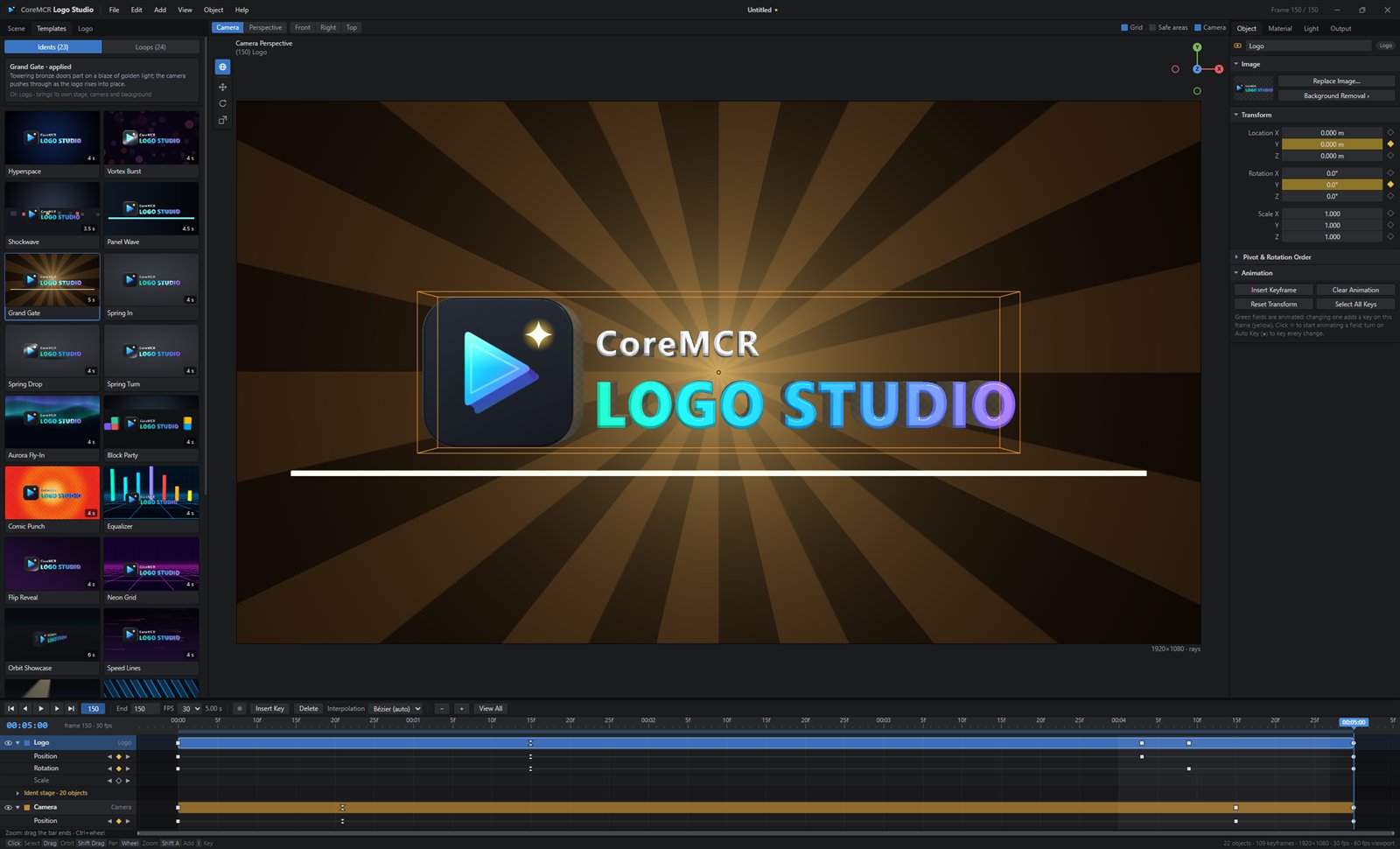
Import a PNG, JPG or SVG. Background removal cleans up logos that sit on a solid colour, and the logo is given real depth, edges and shine.
Choose from 23 idents and 24 loops. Idents bring their own stage, camera moves and lighting. Every template plays with your logo in the preview first.
Export for CoreMCR saves a small animated logo file with a transparent background. Load it into the Logo graphic and it plays smoothly on Program.
Look presets, extrusion depth, bevelled edges, face colour and a light sweep that glints across the logo.
Key light and shadow presets, plus animated backgrounds such as aurora, bokeh, light rays, grids and spotlights.
A layer timeline for position, rotation and scale. Change a value and it is keyed. Zoom the timeline and drag keys to fine-tune the timing.
Add your station name or slogan as 3D text that animates with the logo.
Besides CoreMCR’s format, export WebM video, a GIF, a PNG sequence or a single still frame.
Save your work as a project, reopen recent projects, and come back to each template with your own changes kept.
Logo Studio activates with the same licence key as CoreMCR. There is no separate account. Free trial keys include it, so you can try it before you buy.
Ready to use with your Pro key.
Ready to use with your Max key.
Install it next to CoreMCR. When it opens, enter your CoreMCR licence key. If CoreMCR is already activated on this PC, Logo Studio offers that key for you.